AI recepčná a CRM integrácia
Každý telefonát môže predstavovať nového zákazníka alebo obchodnú príležitosť. Ak sa však údaje po každom hovore musia ručne prepisovať do CRM systému, firma zbytočne stráca čas a zvyšuje riziko chýb.
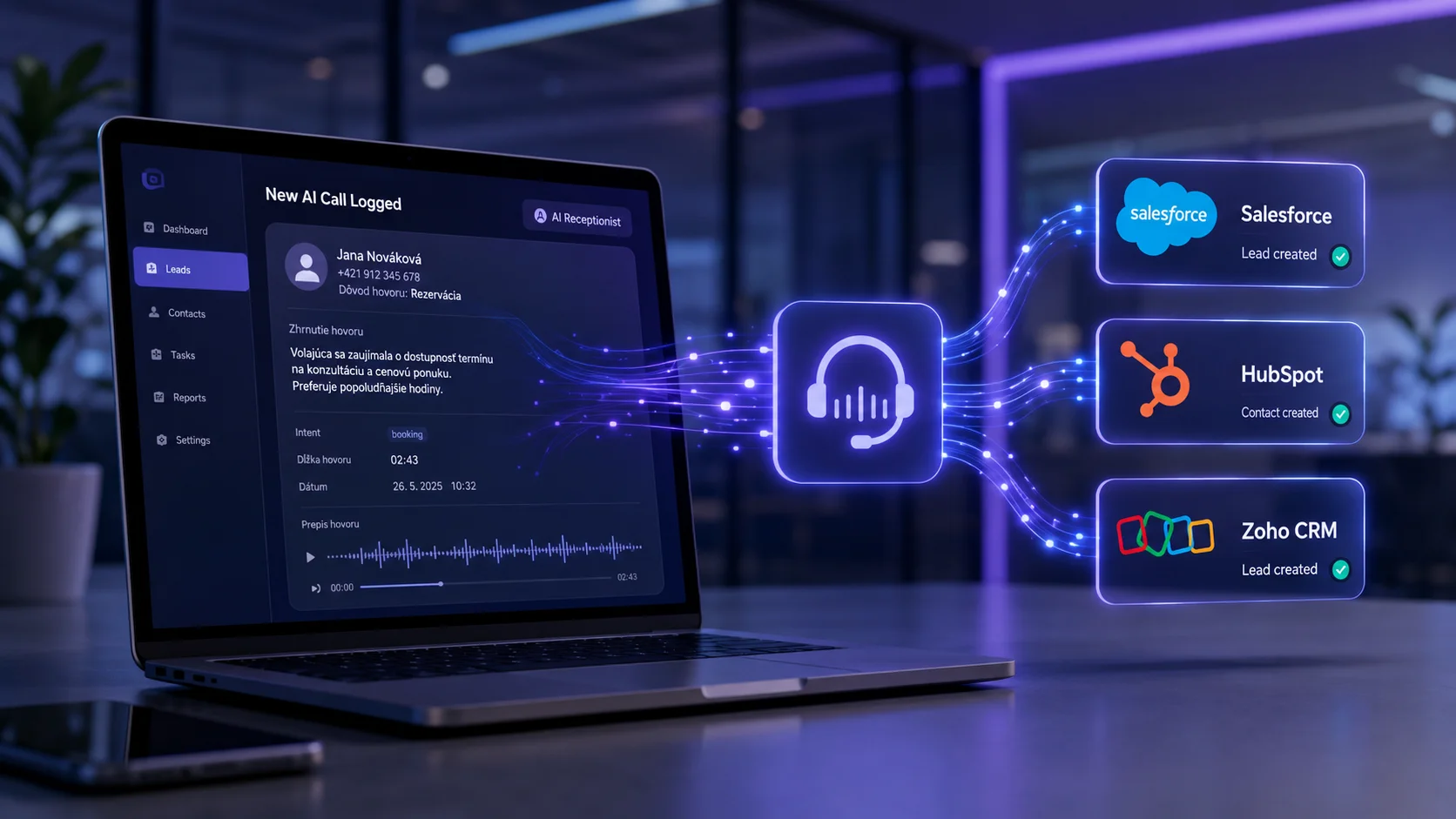
AI hlasový asistent od Callory dokáže celý proces automatizovať. Po skončení hovoru vytvorí kontakt, lead alebo úlohu vo vašom CRM a uloží všetky dôležité informácie bez jediného manuálneho zásahu. Váš tím tak môže okamžite pokračovať v práci namiesto administratívy.
Ako funguje prepojenie AI recepčnej s CRM?
Po ukončení hovoru AI recepčná automaticky spracuje celú konverzáciu a pripraví štruktúrované údaje. Môže ísť o meno zákazníka, telefónne číslo, dôvod hovoru, stručné zhrnutie, prepis konverzácie alebo rozpoznaný zámer zákazníka.
Tieto informácie sa následne bezpečne odošlú do vášho CRM systému a v priebehu niekoľkých sekúnd sa vytvorí nový kontakt, aktualizuje existujúci záznam alebo vznikne nová úloha pre váš tím.
Čo získate vďaka automatickej integrácii?
Prepojenie AI recepčnej s CRM prináša viac než len úsporu času. Každý hovor sa automaticky zaznamená a všetky informácie sú okamžite dostupné na jednom mieste.
Medzi hlavné výhody patria:
Integrácia prispôsobená vašej firme
Každé podnikanie funguje inak. Preto navrhujeme integrácie podľa konkrétnych potrieb klienta. AI recepčná môže odosielať presne tie údaje, ktoré potrebujete – od kontaktných informácií až po rezervácie, objednávky alebo interné poznámky.
Výsledkom je riešenie, ktoré prirodzene zapadne do vašich procesov a zjednoduší každodennú prácu celému tímu.
Premeňte každý hovor na hodnotné dáta
AI recepčná nie je len nástroj na prijímanie telefonátov. V kombinácii s CRM sa stáva inteligentným pomocníkom, ktorý automaticky spracúva komunikáciu, ukladá dôležité informácie a pomáha vášmu tímu pracovať efektívnejšie.
S Callorou získate riešenie, ktoré sa prispôsobí vašej firme a prepojí AI recepčnú s CRM systémom tak, aby ste z každého hovoru vyťažili maximum.
Chcete prepojiť AI recepčnú s vaším CRM?
Rezervujte si nezáväznú konzultáciu a ukážeme vám, ako môže AI recepčná spolupracovať s vaším CRM systémom a zjednodušiť každodenné fungovanie vašej firmy.